Project Dashboard
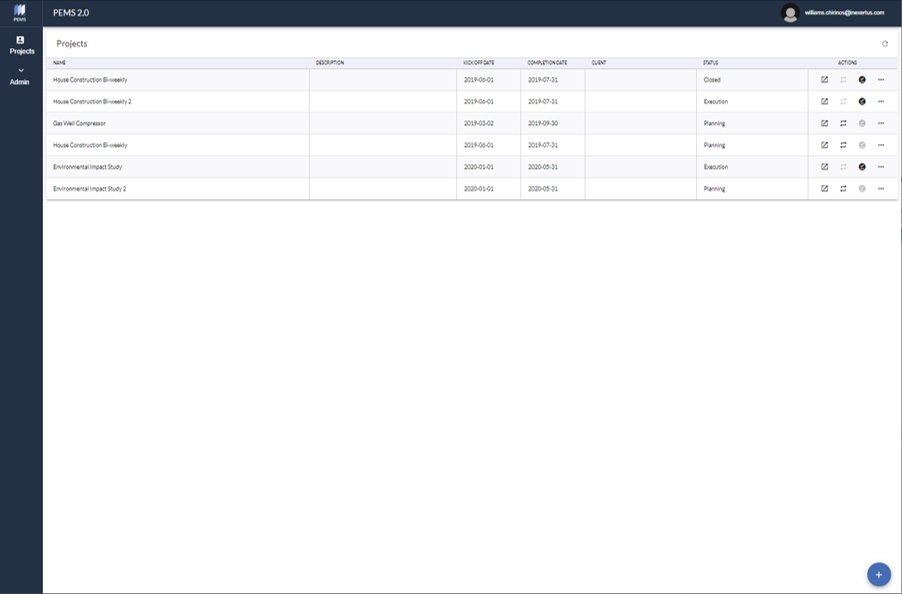
This main menu displays project Name, Description, Estimated Kick-off Date, Estimated Completion Date, Client, and Status.
There are three project status: Planning, Execution, and Closed.
Click the bottom right blue dot to create a new project.
Work on a particular project – planning or execution, duplicate a project during the planning phase, or close a project on the right side menu.
Delete, edit or view a particular project on the extended right side menu.
Creating a new project
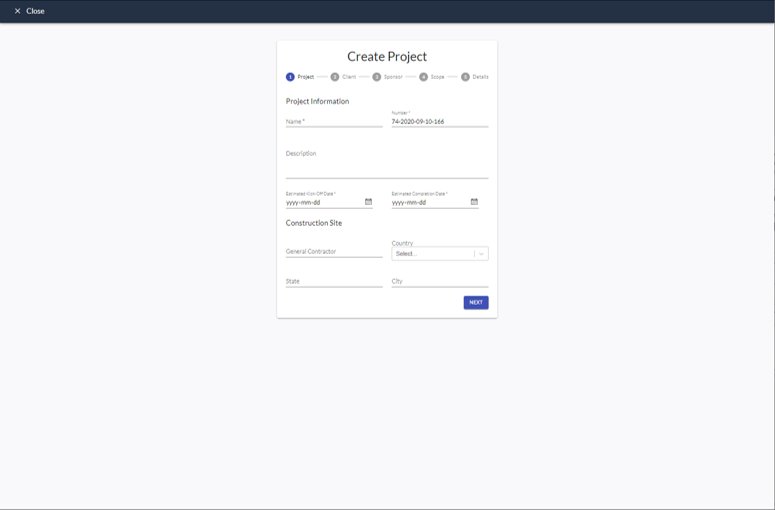
This screen displays the steps Project, Client, Sponsor, Scope, and Details.
1. Project: Input project name, number, description, estimated kick-off and completion dates, construction contractor and construction location site.
*Project name, number, estimated kick-off date, and estimated completion date are mandatory inputs.
2. Client: Input the client company name and location.
3. Sponsor: Input the project sponsor contact information – name, position, email, and phone number.
4. Scope: Input the high level scope definition – overall project product, description, currency, and budget. -
*Overall project product, currency, and budget are mandatory inputs.
5. Details: Select the team members working on the project and the project phases involved.