Admin Settings
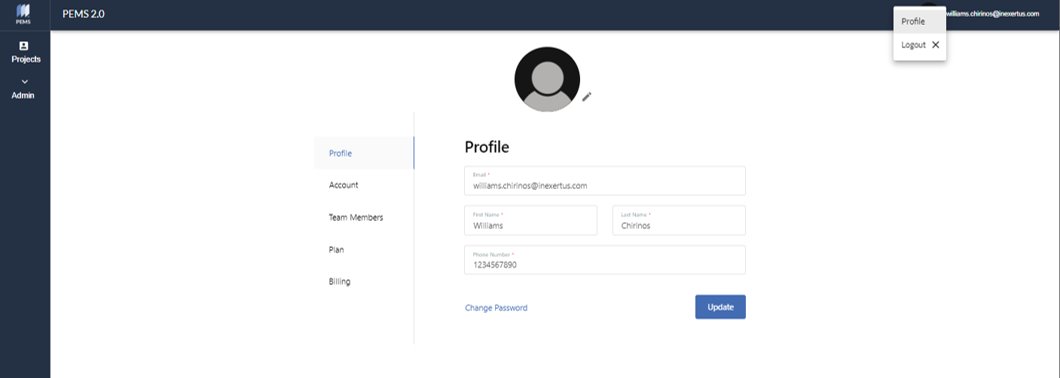
On the top right menu Profile gives access to Profile, Account, Team Members, Plan, and Billing.
1. Profile: Update your email, phone number, and password.
2. Account: Update your company name, billing or mailing address.
3. Team Members: Add or remove Users – Project Managers, Construction Managers, etc. – that will have full access to PEMS.
4. Plan: Change your business cycle from monthly to annual, change your plan from Basic to Professional or cancel your subscription.
4. Billing: Update your credit card information.
User Settings
Users have all the same access in PEMS except for the administrative settings of plan, billing, team members, and account information.