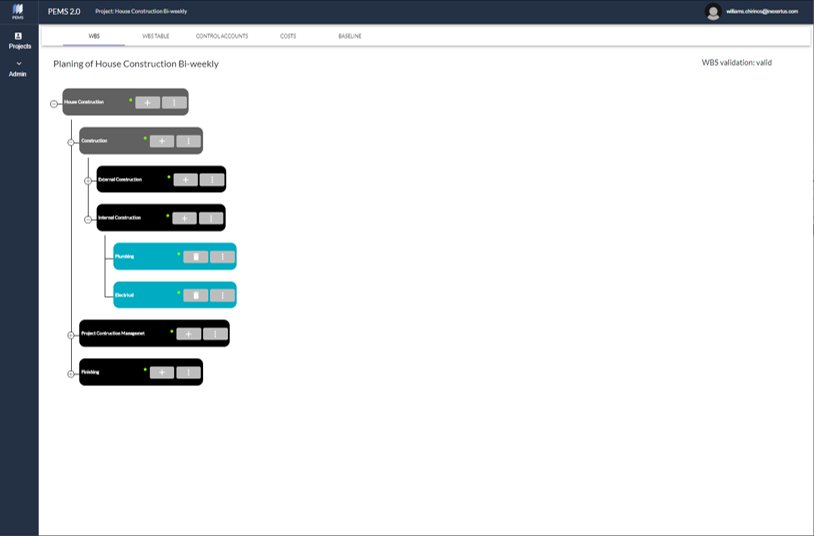
This screen allows to build the project Work Breakdown Structure (WBS).
1. Add WBS Components, Deliverables, and Work Packages.
2. Components are grey. Major work components are broken down until getting deliverables and finally work packages.
3. Deliverables are black. Locate them at the penultimate level of each WBS branch.
4. Work Packages are blue. Locate them at the last level of each WBS branch.
5. The green dots indicate the WBS branch is valid or complete.
WBS Table
6. Display the WBS elements – name, type, description, and status (valid or invalid).